Scene Camera Video
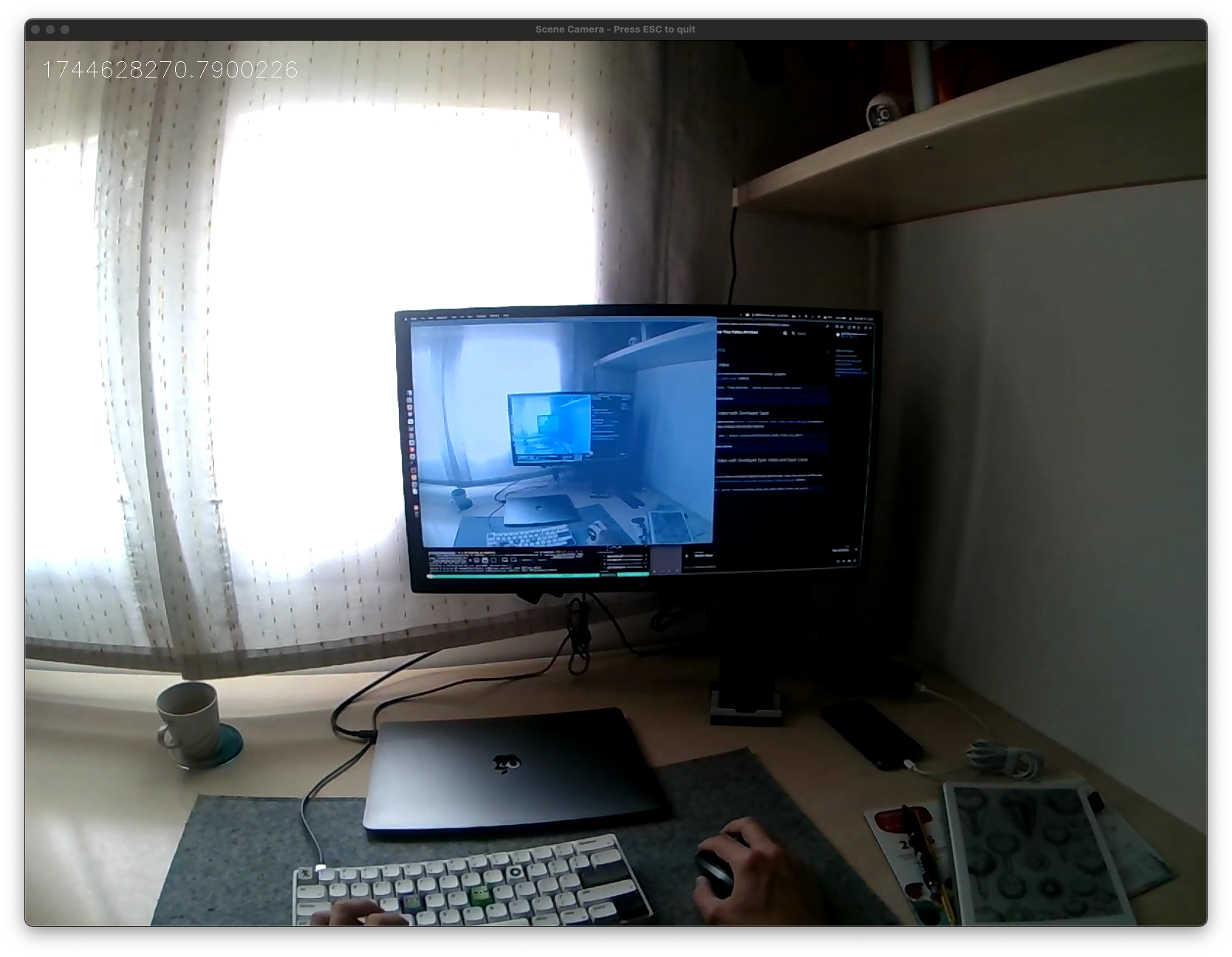
It's very easy to stream the scene camera feed with timestamps for real-time monitoring. Simply use the device.receive_scene_video_frame method.
bgr_pixels, frame_datetime = device.receive_scene_video_frame()
SimpleVideoFrame
Bases: NamedTuple
A simplified video frame representation.
This class provides a simplified representation of a video frame with BGR pixel data and timestamp information.
Attributes:
-
bgr_pixels(BGRBuffer) –BGR pixel data as a NumPy array.
-
timestamp_unix_seconds(float) –Timestamp in seconds since Unix epoch.
Check the whole example code here
| stream_scene_camera_video.py | |
|---|---|
1 2 3 4 5 6 7 8 9 10 11 12 13 14 15 16 17 18 19 20 21 22 23 24 25 26 27 28 29 30 31 32 33 34 35 36 37 38 39 40 41 42 43 44 45 46 47 48 49 50 51 52 53 54 55 56 | |
Scene Camera Video with Overlayed Gaze
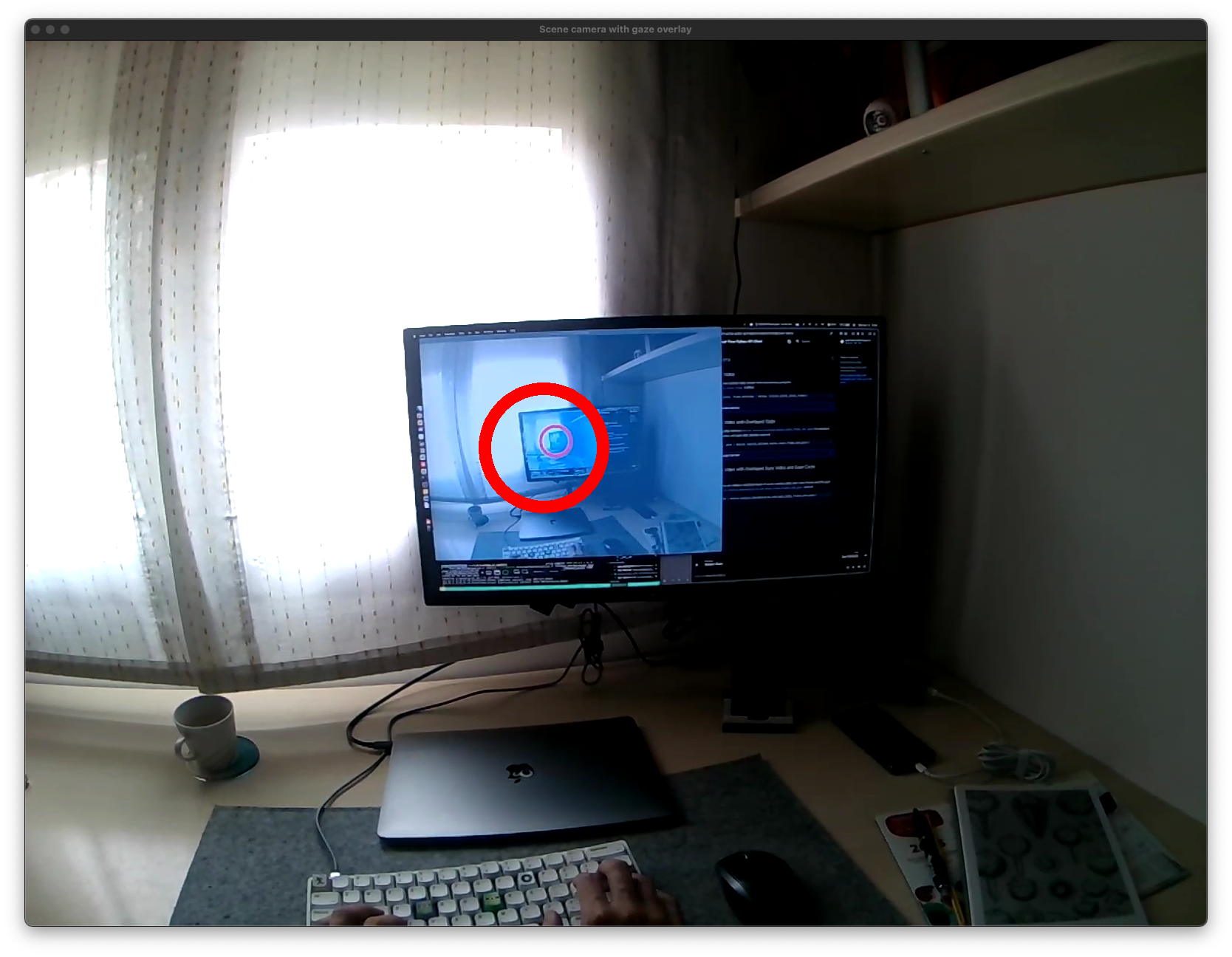
For additional context about where the wearer was gazing, it's useful to overlay gaze measurements onto the scene camera video stream. Since the scene camera and gaze signal can have different sampling rates, we need to be sure they are matched. For that, you can use (device.receive_matched_scene_video_frame_and_gaze).
This receives a pair of scene camera video and gaze data already matched.
frame, gaze = device.receive_matched_scene_video_frame_and_gaze()
MatchedItem
Bases: NamedTuple
A matched pair of scene video frame and gaze data.
This class represents a scene video frame and gaze data point that occurred at approximately the same time.
Note
The name MatchedItem is maintained for backward compatibility. It represents a matched pair of scene video frame and gaze data.
Attributes:
-
frame(SimpleVideoFrame) –Scene video frame.
-
gaze(GazeDataType) –Corresponding gaze data.
Check the whole example code here
| stream_video_with_overlayed_gaze.py | |
|---|---|
1 2 3 4 5 6 7 8 9 10 11 12 13 14 15 16 17 18 19 20 21 22 23 24 25 26 27 28 29 30 31 32 33 34 35 36 37 38 39 40 41 42 43 44 45 46 47 48 49 50 51 52 53 54 55 56 57 58 59 60 61 62 63 64 65 66 67 68 69 70 71 72 73 74 75 76 77 78 79 80 81 82 83 84 85 86 87 88 | |
Scene Camera Video with Overlayed Eyes Video and Gaze Circle
Neon
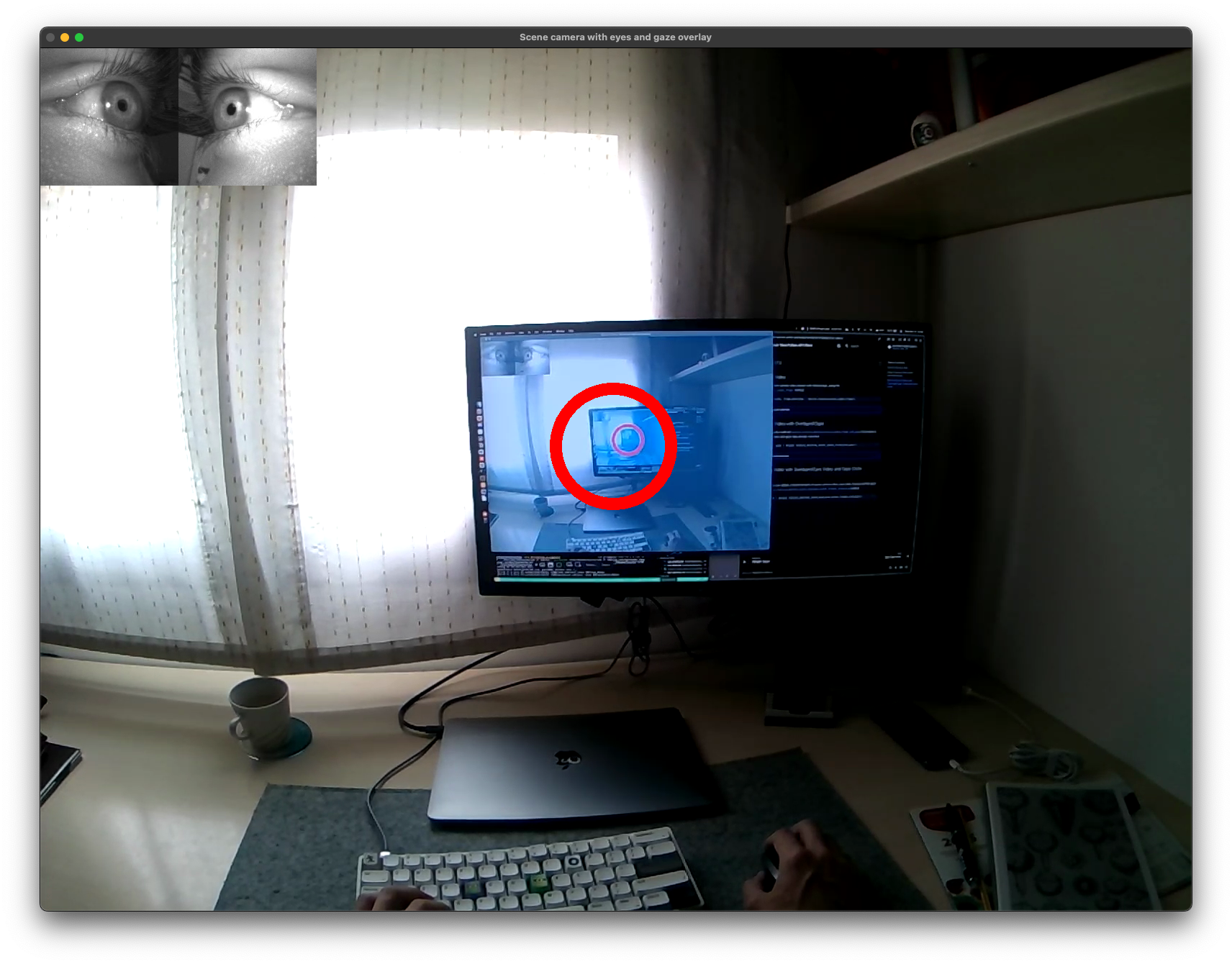
It might also be useful to overlay the eye camera video frames, e.g. if you want to manually inspect the eye data or blinking behaviour. This can be achieved using the device.receive_matched_scene_and_eyes_video_frames_and_gaze method.
matched = device.receive_matched_scene_and_eyes_video_frames_and_gaze()
MatchedGazeEyesSceneItem
Bases: NamedTuple
A matched triplet of scene video frame, eye video frame, and gaze data.
This class represents scene and eye video frames along with gaze data that occurred at approximately the same time.
Attributes:
-
eyes(SimpleVideoFrame) –Eye camera video frame.
-
gaze(GazeDataType) –Corresponding gaze data.
-
scene(SimpleVideoFrame) –Scene video frame.
Check the whole example code here
| stream_scene_eyes_and_gaze.py | |
|---|---|
1 2 3 4 5 6 7 8 9 10 11 12 13 14 15 16 17 18 19 20 21 22 23 24 25 26 27 28 29 30 31 32 33 34 35 36 37 38 39 40 41 42 43 44 45 46 47 48 49 50 51 52 53 54 55 56 | |
Camera Controls
Neon +1.9.0
You can get and set scene camera parameters, such as auto exposure mode, manual exposure time, gain, brightness, contrast, and gamma, using device.get_camera_state and device.set_camera_state.
Note
Initiate the video stream (e.g. by calling device.receive_scene_video_frame()) or open the scene video preview in the Companion app before querying or setting camera controls to ensure the camera is active.
# Retrieve current camera state
camera_state = device.get_camera_state()

# Update camera controls
device.set_camera_state(
    ae_mode="manual",
    man_exp=500,
    gain=64,
    brightness=0,
    contrast=32,
    gamma=300,
    validate_with_state=camera_state,
)
CameraState
dataclass

CameraState(ae_mode: ControlStateEnum, man_exp: ControlStateInteger, gain: ControlStateInteger, brightness: ControlStateInteger, contrast: ControlStateInteger, gamma: ControlStateInteger)
ControlStateEnum
ControlStateInteger
Check the whole example code here
| camera_controls.py | |
|---|---|
1 2 3 4 5 6 7 8 9 10 11 12 13 14 15 16 17 18 19 20 21 22 23 24 25 26 27 28 29 30 31 32 33 34 35 36 37 38 39 40 41 42 43 44 45 46 47 48 49 50 51 52 53 54 55 56 57 58 59 60 61 62 63 64 65 66 67 68 69 70 71 72 73 74 75 76 77 78 79 80 81 82 83 84 85 86 87 88 89 90 91 92 93 94 | |